Coursehero: The Comments that I received from Students all over the world (2022)

What's up Nixers!


I was inspired to do a blog today since I was supposed to watch some netflix videos but figured why not pass by here for a while. I recently visited my account and found that my latest answer was tagged as helpful by the student with a custom-made message with a heart.


For those of you who do not know, there are three things that you get to receive from students when answering questions in Coursehero. 

(1) Unhelpful which means your answer may either be incorrect, was no longer needed by the student (since the submission of the assignment has already lapsed and you were too late to answer the question) or they just don't feel connected to your solution. You see, in this platform, you really cannot please everybody. I find it a hard and bitter pill to swallow. After all, I did my part. I dedicated brain cells to answer the question and yet, it was unhelpful? Worst of all, I won't get paid for that time I spent answering the question. But yeah, one thing that we need to learn on this platform is to focus on the bright side and the other students that needs our help. One of these days, your helpful rating may rise again as you improve on your craft.

(2) No rating which means nada. The student may just not feel to give you the helpful rating or they are not online when you gave the answer and so forgot about pressing the helpful button. Whatever their reason may be, it's all good. You get to be paid even if there was no rating. 

(3) Helpful rating which means Hooray! You did a great job and the student appreciate the work that you've done. Your answer is correct. Your answer is step by step. They were able to understand the key concepts more. Whatever the reason may be, receiving a helpful rating is like fuel to keep the fire burning on serving students one question at a time. 


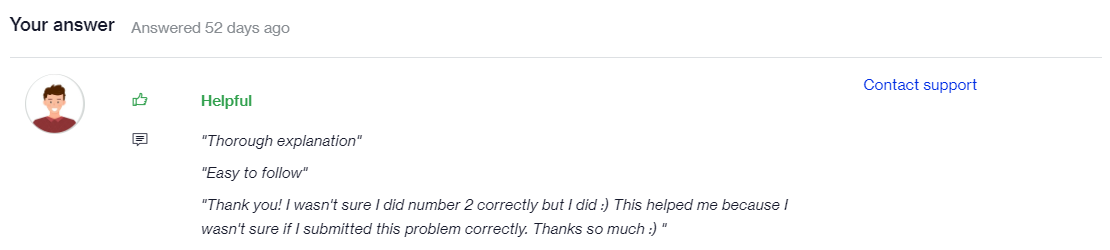
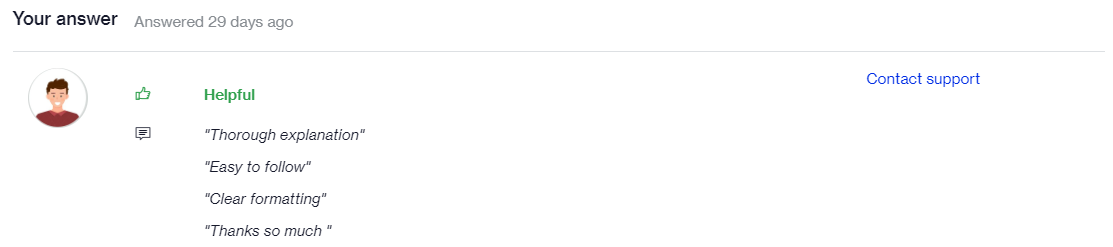
For this blog, I'll only focus more on the comments that I received from those who tagged my answer as helpful. Common comments such as Clear Formatting, Thorough explanation and Easy to follow are the three default comments that students may give after finding your answer as helpful.


"Out of the fullness of the heart, the students comment."


Basically, some students does not let go of a great answer every once in a while so here are the comments that I received from my awesome students all over the world. By the way, as of the time of this writing, I have already answered 724 questions in the platform.


234 of the questions were tagged as helpful by students.


Here are some of the comments that students left.


Some students even flatter you.


And, these are comments where I really felt my work is making a difference to the lives of the learner.


It has been a great journey. For months, I have been answering questions while also looking for ways to maximize my earnings and be able to have that sweet spot of time when to answer questions and when it is available.

I am also trying to learn how to be of service to business owners and trying to educate my self on this aspect. Hopefully I get to land a freelancing job that would be a good fit to my skills and also be a great learning experience while creating ultimate freedom and autonomy in my life moving forward.

That's about it. Hopefully you find this blog entry motivating. This is Shin, signing off.

Comments

Popular posts from this blog

Privacy Policy of ShinStats: descriptives calc

Privacy Policy Shin Nix built the ShinStats app as an Ad Supported app. This SERVICE is provided by Shin Nix at no cost and is intended for use as is. This page is used to inform visitors regarding my policies with the collection, use, and disclosure of Personal Information if anyone decided to use my Service. If you choose to use my Service, then you agree to the collection and use of information in relation to this policy. The Personal Information that I collect is used for providing and improving the Service. I will not use or share your information with anyone except as described in this Privacy Policy. The terms used in this Privacy Policy have the same meanings as in our Terms and Conditions, which are accessible at ShinStats unless otherwise defined in this Privacy Policy. Information Collection and Use For a better experience, while using our Service, I may require you to provide us with certain personally identifiable information. The information that I request will be retaine...

SQL Journey: Blog#10

So far, we are only "reading" from a given database or table using the SELECT command of SQL. In today's lesson, we will now start "writing" into a given database using the UPDATE and DELETE commands. Challenge: Dynamic Documents Given data: CREATE table documents (     id INTEGER PRIMARY KEY AUTOINCREMENT,     title TEXT,     content TEXT,     author TEXT);      INSERT INTO documents (author, title, content)     VALUES ("Puff T.M. Dragon", "Fancy Stuff", "Ceiling wax, dragon wings, etc."); INSERT INTO documents (author, title, content)     VALUES ("Puff T.M. Dragon", "Living Things", "They're located in the left ear, you know."); INSERT INTO documents (author, title, content)     VALUES ("Jackie Paper", "Pirate Recipes", "Cherry pie, apple pie, blueberry pie."); INSERT INTO documents (author, title, content)     VALUES ("Jackie Paper", "Boat Supplies...

Power BI Journey: Blog #6

In this lesson, the focus is on "Conditional Formatting" which is very much similar to the conditional formatting in MS Excel which I could relate to following the making of the joint reporting system for personnel during my second job. Basically, we click the data columns that we want to be displayed in a tabular visualization.  Next, we select the columns that we will be applying conditional formatting to > Right-click on that column > Select Conditional Formatting > Select from among the options which is more appropriate for your application In this particular exercise, we utilized Background conditional formatting using gradient (applied on the first column of the first table) and rules (IF ELSE which was applied on the second column of the first table), Icons conditional formatting (applied on the second column of the first table), Data bars conditional formatting (applied on the second column of the first table and the fourth column of the second table). In the...